If you’re installing Lab Manager 3.x and the Valid NIC Requirement prerequisite check fails, verify your Lab Manager server has a static IP address configuration and not a configuration that is assigned by DHCP.
For other Lab Manager requirements, be sure to check out the Installation and Upgrade Guide.
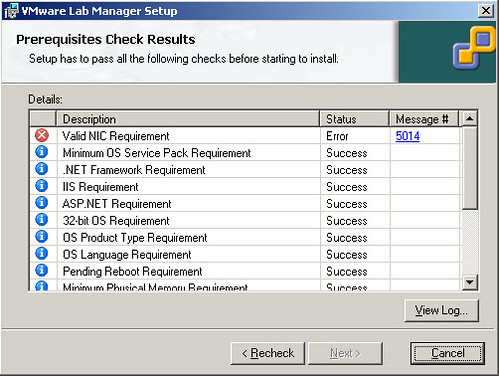













Lab Manager 4 did this to me a TON when I was deploying it recently. I don’t know if version 3 behaves the same way, but with 4 I had to change from using the VMXNET3 NIC to VMXNET2 Enhanced or Flexible because Windows somehow interprets the VMXNET3 NIC as a WIRELESS NIC. One of the checks Lab Mgr 4 does before installation is making sure that you don’t have only a wireless NIC installed.