Father’s Day Fun With ESXi Annotations
June 19th, 2011 by jason
Leave a reply »
Tired of the same old DCUI look of your ESXi host?
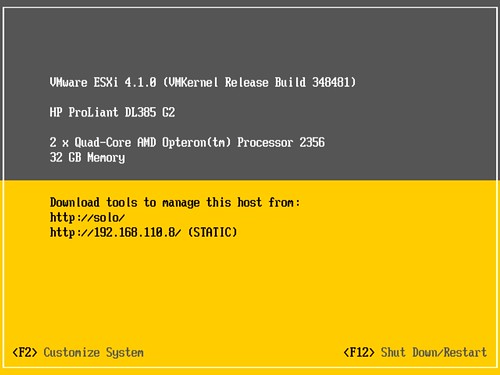
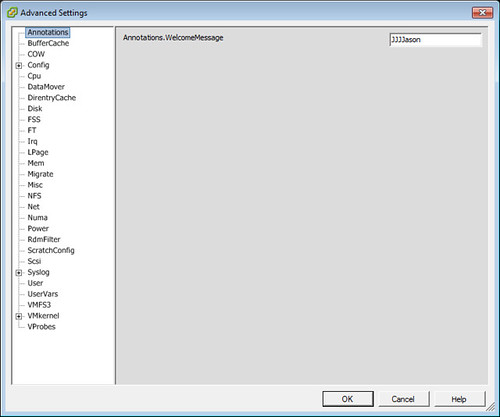
Change it with your own custom Annotation (found under Host|Configuration|Software|Advanced Settings):
Viola!
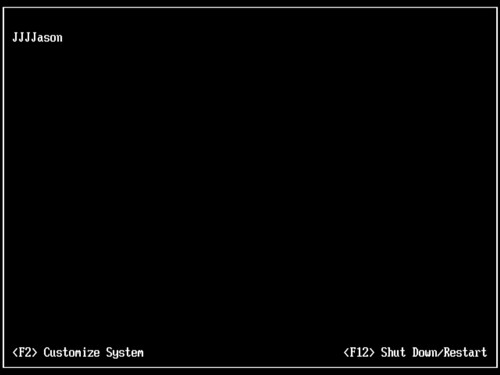
Clearly this is more fun than any one person should be allowed to have.
Clear the Annotation field to restore the original ESXi look.

Related Posts
- May 6, 2013 -- vSphere 5.1 Update 1 Update Sequence
- April 5, 2013 -- vMA 5.1 Patch 1 Released
- March 27, 2013 -- Redefining Disk.MaxLUN
- March 20, 2013 -- VMware vSphere Design 2nd Edition Now Available
- March 19, 2013 -- Large Memory Pages and Shrinking Consolidation Ratios
- March 4, 2013 -- Book Review: VMware vSphere 5 Building a Virtual Datacenter
- February 8, 2013 -- Thin Provisioning Storage Choices
- September 12, 2012 -- Monster VMs & ESX(i) Heap Size: Trouble In Storage Paradise
- August 27, 2012 -- VMworld 2012 Announcements – Part I
- August 12, 2012 -- StarWind and Cirrus Tech Partner to Deliver Cutting Edge Technologies to the Cloud Computing Market
LoL, LIKE!!!
that’s cool and could even be a security thing if you relabed it a different OS or even wanted to put your company security message on there. Is there a charactor limit?